

Add Android Authority on Google:
TL;DR
- Developer Mateus Seiboth has put collectively a port of LineageOS 24 for x86 PCs.
- The discharge can run of a USB stick, and helps methods with as little as 4GB of RAM.
- GPU help is a bit more hit-and-miss, with AMD playing cards at the moment favored.
Android followers have a brand new gadget class to placed on their vacation purchasing lists this yr, with Googlebook offers already arriving for Black Friday, however if you happen to can’t afford to select up some new {hardware} proper now, we simply discovered what is perhaps the subsequent neatest thing, courtesy of a undertaking to carry LineageOS 24 to your present PC.

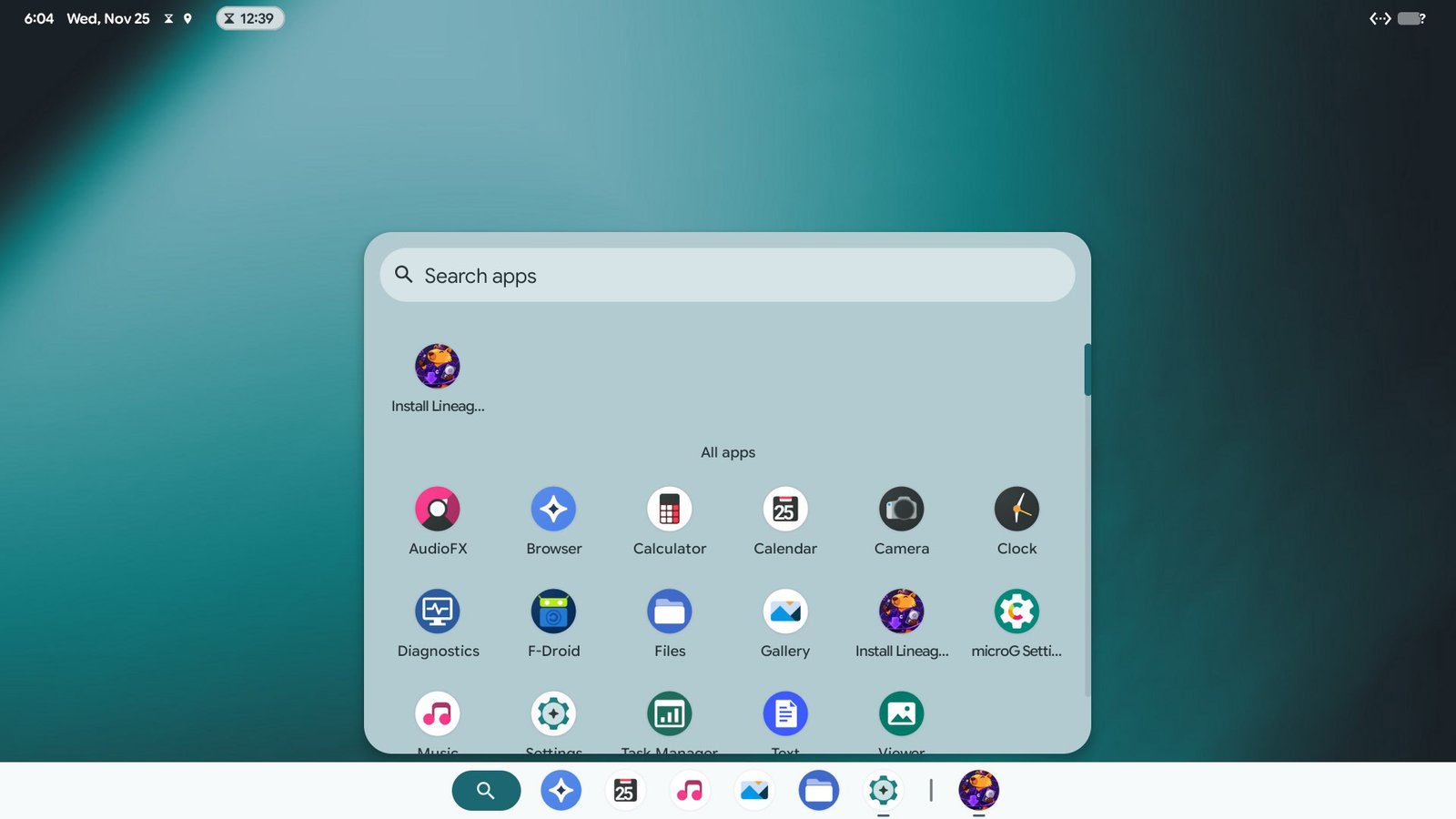
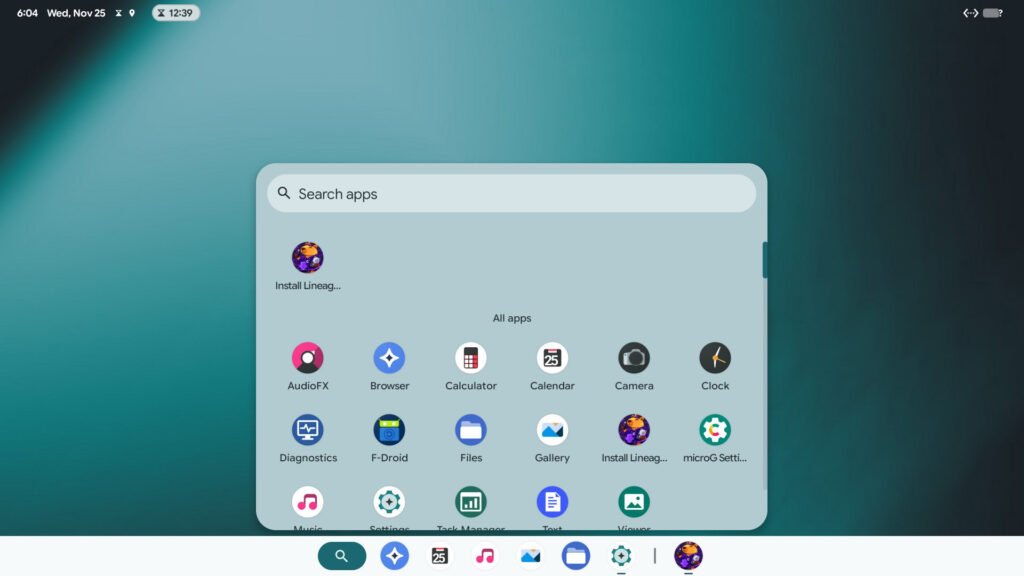
CapivaOS, or LineageOS 24.0 for x86_64 PCs, because it exists on GitHub, continues to be very a lot a piece in progress, and Seiboth warns that there are many points and limitations, each identified and unknown, however if you happen to’ve been pissed off by the dearth of excellent, fashionable Android ports for PC {hardware}, this could possibly be proper up your alley.
Particularly, it feels like GPU help continues to be somewhat bit iffy, with newer Intel and AMD options supported, however NVIDIA playing cards or older Intel graphics doubtlessly inflicting issues. The excellent news there’s which you could simply strive it out with out making any everlasting modifications to your system, and an ISO picture obtainable on SourceForge helps working stay off detachable media.
On the plus facet, CPU help appears fairly extra strong, and the discharge even ought to run on methods with as little as 4GB of RAM — though 8GB is beneficial.
Clearly, there’s lots much less polish right here than you’ll see on a Googlebook, and also you received’t discover Google apps and companies baked in throughout the platform by default. However if you happen to’re simply thinking about “Android on a laptop computer” and aren’t trying to decide up new {hardware} devoted to that have, this sounds prefer it might at the least be value trying out.
Along with porting the OS itself, Seiboth has additionally crafted a group of fundamental apps that ought to make the platform really feel somewhat extra like a correct laptop, together with a textual content editor, file supervisor, and system useful resource viewer. Common ARM apps are run by Google’s libndk_translation layer for x86 compatibility — there’s additionally Linux app help current, and that’s an lively space for ongoing improvement.
If you happen to’re curious sufficient to present it a strive, tell us how the expertise went for you (and share your {hardware} particulars) down within the feedback.